


Wildview Extreme 4 LCD Problems
 08-15-2007 | 09:43 AM
#1
Thread Starter
Fork Horn
Joined: Feb 2003
Posts: 427
Likes: 0
From: Woodbridge, Virginia
 Wildview Extreme 4 LCD Problems
I put my new wildview extreme 4 out this morning and the LCD screen was not working. It just showed some lines and then faded out. The test light blinked and the camera is functioning, just not the LCD. I think I will take it back and get a replacement this weekend. Has anyone experienced this issue. I also would like to know if the trigger time is better on these than they are on the wildview extreme 2's. I have them over food sources, so it doesn't matter that much, but I was just wondering.
 08-15-2007 | 10:46 AM
#2
Fork Horn
Joined: Sep 2006
Posts: 134
Likes: 0
From:
RE: Wildview Extreme 4 LCD Problems
Thats the same camera I have, and just made a post about it not getting pictures. I typed 3.0 mp by accident in the thread starter. Mine wasn't over food, but still I would see the deer walk in front of it, but the next day no pictures. So I rode in front of it on my fourwheeler it didn't even pick me up. I don't know if I got a bad one or if they are just junk.
 08-15-2007 | 12:38 PM
#4
Thread Starter
Fork Horn
Joined: Feb 2003
Posts: 427
Likes: 0
From: Woodbridge, Virginia
RE: Wildview Extreme 4 LCD Problems
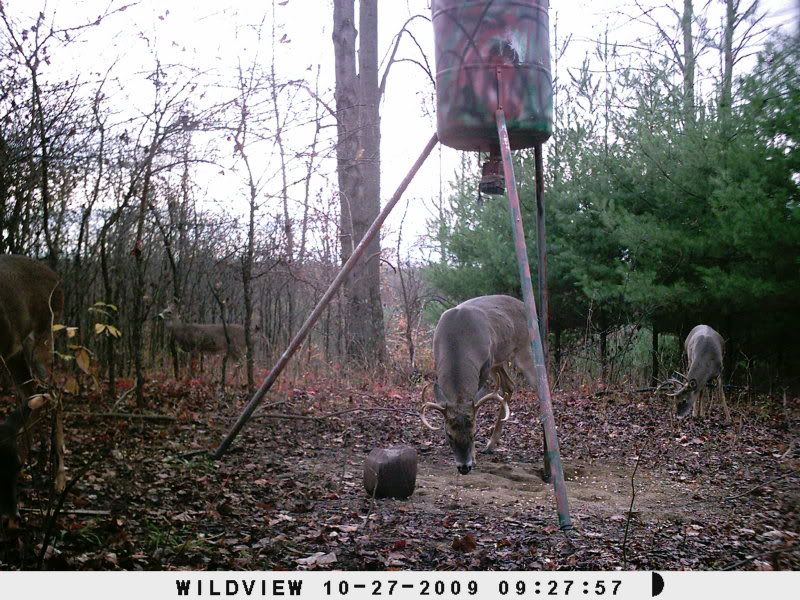
Blondie, You need to put these Wildviews over food or minerals. The trigger is a good 5 seconds and walking animals move right throught the shot before it can trigger. I have this camera and 3 of the Extreme 2's and I can only use them over food sources or minerals. I have no problems with pictures. The last time at this spot 3 weeks ago I got 489 pics in 3 days. This bruiser was one of them. This pic was with the Extreme 2.

10-27-2009 | 09:23 AM
#5
Spike
Joined: Oct 2009
Posts: 1
Likes: 0
My extreme 4 does not let me change the date and time. I change it, and then a few seconds later it defaults back to a date in August 05. Can anyone help with this? Also I called the toll free number on the camera, it is disconnected. Is there a new number?
11-09-2009 | 02:45 PM
#6
Nontypical Buck
Joined: Nov 2009
Posts: 1,592
Likes: 0
Hi Ikuntz:
I am using Wildview EZ Cam which is an earlier version. Once you have the hour, minute, month, day and year entered, try holding the set button a little longer until everything quits flashing. Once in awhile one of my cameras does this. If this doesn't work shut of the camera, pull the batteries and re insert them. Turn the switch to PIR and re enter everything. Now hold the set switch for a little while.
I am using an external 12 volt power supply. I have 9 cameras set up this way in a couple of distant locations, (all Wildview EZ Cam). I do not use internal (4 C batteries or rechargeable) due to colder weather conditions-southern Canada. In the colder temperatures, these batteries lose power and will not trigger the camera properly, or not at all.
I hope this helps. Good luck.
I am using Wildview EZ Cam which is an earlier version. Once you have the hour, minute, month, day and year entered, try holding the set button a little longer until everything quits flashing. Once in awhile one of my cameras does this. If this doesn't work shut of the camera, pull the batteries and re insert them. Turn the switch to PIR and re enter everything. Now hold the set switch for a little while.
I am using an external 12 volt power supply. I have 9 cameras set up this way in a couple of distant locations, (all Wildview EZ Cam). I do not use internal (4 C batteries or rechargeable) due to colder weather conditions-southern Canada. In the colder temperatures, these batteries lose power and will not trigger the camera properly, or not at all.
I hope this helps. Good luck.
11-10-2009 | 05:28 AM
#7
Nontypical Buck
Joined: Apr 2003
Posts: 1,313
Likes: 0
From: York, PA.
Mike I have four Xtreme 4 cams and one Xtreme 5 cam, had to send one of the Xtreme 4 cams back due to ants infesting it and causing the same problem to my LCD display as yours. Wildview was out of stock of the Xtreme 4 cams so they sent me a new 8 MP. stealth cam to replace it that hasnt even hit the market yet.
As far as slow trigger speeds, all Wildview cams have them, but they have a very wide angle sensor and a long range flash to make up for it. So if your putting your wildviews over trails etc. just set them 11-13 feet off the trail and you will get pics of every deer that walks down the trail because the deer will trigger the sensor to the far left or right and by the time the deer gets right in front of the camera it will snap a pic, but the key is positioning the cam atleast 11ft off the trail as shown in the 2nd pic. below. Over all my wildviews have performed above expectations and I will continue to purchase them in the future. Pike

As far as slow trigger speeds, all Wildview cams have them, but they have a very wide angle sensor and a long range flash to make up for it. So if your putting your wildviews over trails etc. just set them 11-13 feet off the trail and you will get pics of every deer that walks down the trail because the deer will trigger the sensor to the far left or right and by the time the deer gets right in front of the camera it will snap a pic, but the key is positioning the cam atleast 11ft off the trail as shown in the 2nd pic. below. Over all my wildviews have performed above expectations and I will continue to purchase them in the future. Pike
Last edited by J Pike; 11-10-2009 at 05:38 AM.

