


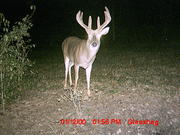
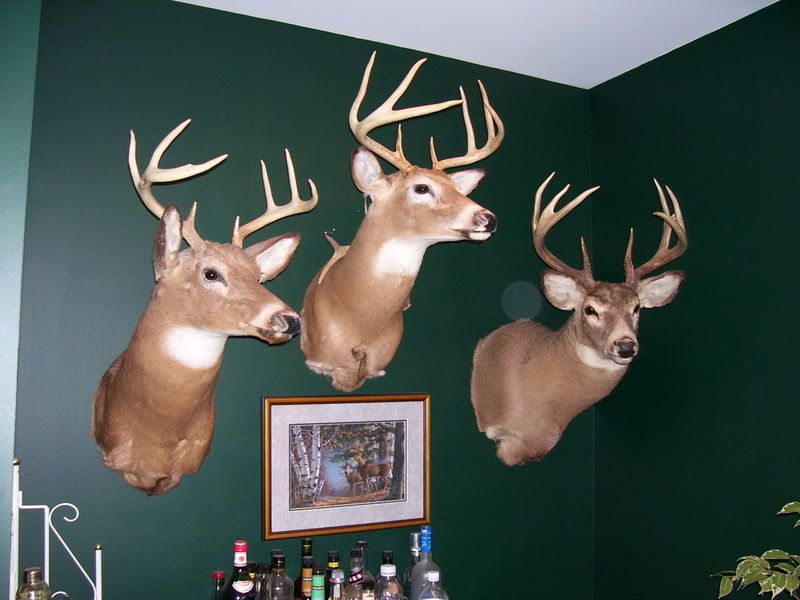
lets see your best buck

 03-28-2008 | 07:33 PM
#62
Thread Starter
Giant Nontypical
Joined: Oct 2007
Posts: 7,684
Likes: 0
From: Jefferson County, Missouri
 RE: lets see your best buck
ORIGINAL: Remnard
hmmm cant embed a photo bucket pic here for some reason
hmmm cant embed a photo bucket pic here for some reason
03-28-2008 | 10:37 PM
#63
Typical Buck
Joined: Oct 2007
Posts: 851
Likes: 0
From: Bourbon, MO
RE: lets see your best buck
This is the easiest and best way I've found to post pictures.
First go to http://www.photobucket.com and open a free account. It's simple, it's free. They will host your pictures. You can change the size etc...and do some manipulation.
Once you have opened an account, you can upload pictures to your album and the picture will be assigned several URL address's.
At Photobucket, Images from PC, click Browse. That will open your PC. Browse your PC and choose your photo and Upload it.
Once it's uploaded, click the Direct Link. It's the second one down in the list of 4 URL address's. It turns yellow and copies immediately, if it doesn't, right click and copy it.
Come back to your post (I do this by having two browser windows open, one to HNI and one to Photobucket).
In your post, click where you would like your photo. Click the add image icon on the tool bar. This one:
Where it says, enter the URL there will be a http:// and it's blue(highlighted), leave it highlighted or remove it, right click in the box and click PASTE.
That will Paste the URL that you copied from Photobucket.
Click okay and your picture will appear in your post.
It's that simple.
First go to http://www.photobucket.com and open a free account. It's simple, it's free. They will host your pictures. You can change the size etc...and do some manipulation.
Once you have opened an account, you can upload pictures to your album and the picture will be assigned several URL address's.
At Photobucket, Images from PC, click Browse. That will open your PC. Browse your PC and choose your photo and Upload it.
Once it's uploaded, click the Direct Link. It's the second one down in the list of 4 URL address's. It turns yellow and copies immediately, if it doesn't, right click and copy it.
Come back to your post (I do this by having two browser windows open, one to HNI and one to Photobucket).
In your post, click where you would like your photo. Click the add image icon on the tool bar. This one:
Where it says, enter the URL there will be a http:// and it's blue(highlighted), leave it highlighted or remove it, right click in the box and click PASTE.
That will Paste the URL that you copied from Photobucket.
Click okay and your picture will appear in your post.
It's that simple.





 03-29-2008 | 04:16 PM
#70
Typical Buck
Joined: Nov 2007
Posts: 819
Likes: 0
From:
RE: lets see your best buck
ORIGINAL: Turkey Fife
This is the easiest and best way I've found to post pictures.
First go to http://www.photobucket.com and open a free account. It's simple, it's free. They will host your pictures. You can change the size etc...and do some manipulation.
Once you have opened an account, you can upload pictures to your album and the picture will be assigned several URL address's.
At Photobucket, Images from PC, click Browse. That will open your PC. Browse your PC and choose your photo and Upload it.
Once it's uploaded, click the Direct Link. It's the second one down in the list of 4 URL address's. It turns yellow and copies immediately, if it doesn't, right click and copy it.
Come back to your post (I do this by having two browser windows open, one to HNI and one to Photobucket).
In your post, click where you would like your photo. Click the add image icon on the tool bar. This one:
Where it says, enter the URL there will be a http:// and it's blue(highlighted), leave it highlighted or remove it, right click in the box and click PASTE.
That will Paste the URL that you copied from Photobucket.
Click okay and your picture will appear in your post.
It's that simple.
This is the easiest and best way I've found to post pictures.
First go to http://www.photobucket.com and open a free account. It's simple, it's free. They will host your pictures. You can change the size etc...and do some manipulation.
Once you have opened an account, you can upload pictures to your album and the picture will be assigned several URL address's.
At Photobucket, Images from PC, click Browse. That will open your PC. Browse your PC and choose your photo and Upload it.
Once it's uploaded, click the Direct Link. It's the second one down in the list of 4 URL address's. It turns yellow and copies immediately, if it doesn't, right click and copy it.
Come back to your post (I do this by having two browser windows open, one to HNI and one to Photobucket).
In your post, click where you would like your photo. Click the add image icon on the tool bar. This one:
Where it says, enter the URL there will be a http:// and it's blue(highlighted), leave it highlighted or remove it, right click in the box and click PASTE.
That will Paste the URL that you copied from Photobucket.
Click okay and your picture will appear in your post.
It's that simple.