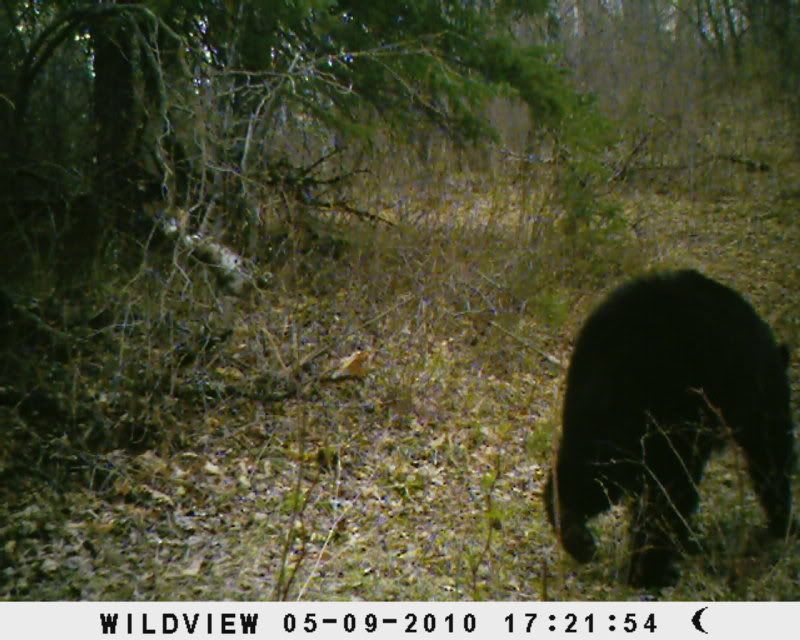
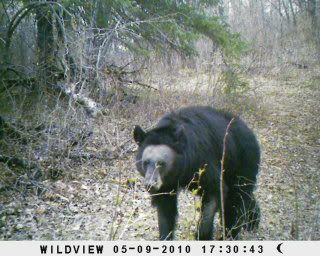
Bald Face Black Bear

 05-23-2010 | 08:57 AM
#3
Boone & Crockett
Joined: Apr 2007
Posts: 10,918
Likes: 1
From: River Ridge, LA (Suburb of New Orleans)

Go to your Photobucket account. On your home page, just below the green block that says "Upload Images and Videos" is a line that says "Tip: Hold down CommandCTRL to select multiple files. (more options)". Click on the "more options" section and select the " 15" screen ( 800 x 600 ) " setting, then scroll down to the bottom of the page and save that setting. Once you do that all of the photos you load to your account will be resized to that setting. It produces a decent size picture that's user friendly to just about all forum members.


 05-23-2010 | 06:26 PM
#7
Thread Starter
Nontypical Buck
Joined: Nov 2009
Posts: 1,592
Likes: 0
05-23-2010 | 06:30 PM
#8
Nontypical Buck
Joined: Aug 2007
Posts: 1,583
Likes: 0
From: Iowa
 05-23-2010 | 06:32 PM
#9
Thread Starter
Nontypical Buck
Joined: Nov 2009
Posts: 1,592
Likes: 0
Go to your Photobucket account. On your home page, just below the green block that says "Upload Images and Videos" is a line that says "Tip: Hold down CommandCTRL to select multiple files. (more options)". Click on the "more options" section and select the " 15" screen ( 800 x 600 ) " setting, then scroll down to the bottom of the page and save that setting. Once you do that all of the photos you load to your account will be resized to that setting. It produces a decent size picture that's user friendly to just about all forum members.