
|
Bald Face Black Bear
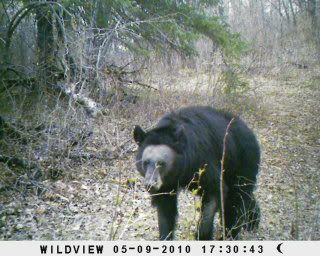 This bear has no hair on his face and some missing on the fore legs. Hope this post works this time. I reloaded the picture on photobucket, named it, then clicked save. |
Cool pic. How come its so small since it's on photobucket? did you resize it?
|
Go to your Photobucket account. On your home page, just below the green block that says "Upload Images and Videos" is a line that says "Tip: Hold down CommandCTRL to select multiple files. (more options)". Click on the "more options" section and select the " 15" screen ( 800 x 600 ) " setting, then scroll down to the bottom of the page and save that setting. Once you do that all of the photos you load to your account will be resized to that setting. It produces a decent size picture that's user friendly to just about all forum members.
|
I'd say he has seen his better days.
|
Great pic!
|
Kinda looks like that bear from the movie; The Great Outdoors. Thanks for posting.
Blessings.....Pastorjim |
Originally Posted by pnut
(Post 3629513)
Cool pic. How come its so small since it's on photobucket? did you resize it?
|
Originally Posted by PastorJim08
(Post 3629577)
Kinda looks like that bear from the movie; The Great Outdoors. Thanks for posting.
Blessings.....Pastorjim |
Originally Posted by Semisane
(Post 3629536)
Go to your Photobucket account. On your home page, just below the green block that says "Upload Images and Videos" is a line that says "Tip: Hold down CommandCTRL to select multiple files. (more options)". Click on the "more options" section and select the " 15" screen ( 800 x 600 ) " setting, then scroll down to the bottom of the page and save that setting. Once you do that all of the photos you load to your account will be resized to that setting. It produces a decent size picture that's user friendly to just about all forum members.
|
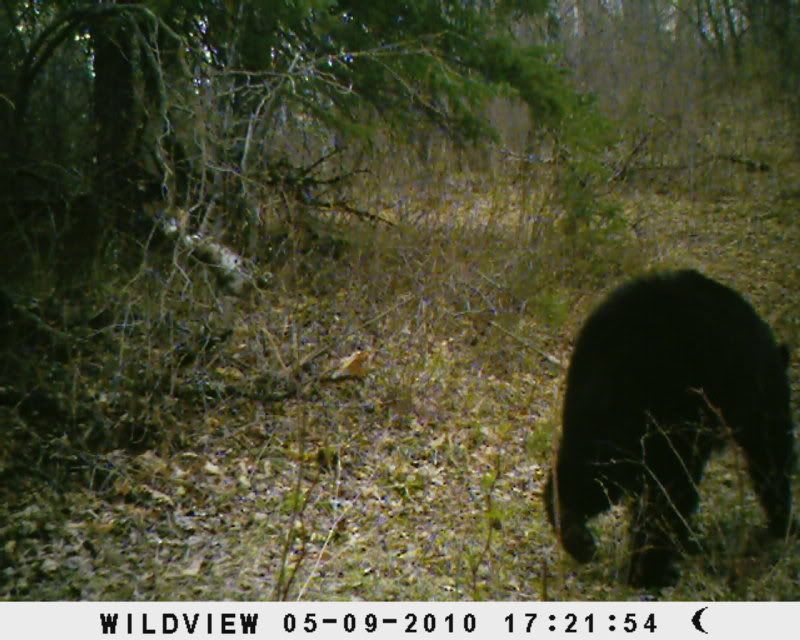 Here is the required picture. |
| All times are GMT -8. The time now is 04:08 PM. |
Copyright © 2026 MH Sub I, LLC dba Internet Brands. All rights reserved. Use of this site indicates your consent to the Terms of Use.