
|
Some pics
Managed to get Photoshop CS4 though I have no clue how to sharpen my images.
Enjoy the pics. My friends dog     My wee Blackie loves to sunbathe 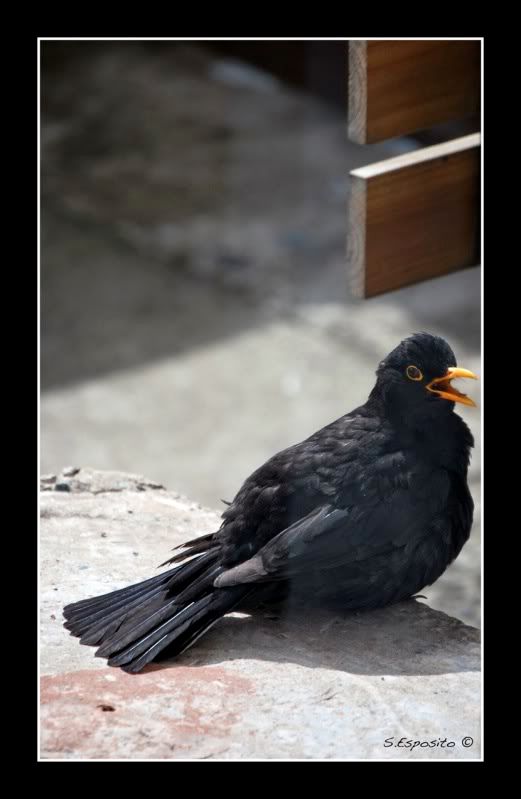 |
Very nice!!!Walt
|
remington girl; when you open your photo shop,do you notice a small arrow on the right hand side of the photo shop window? If you do,click on it. This will give you a quick fix option. One of the tools is for sharpen. You can let the program choose the settings or you can do it manually.
|
Originally Posted by blkpowder
(Post 3392450)
remington girl; when you open your photo shop,do you notice a small arrow on the right hand side of the photo shop window? If you do,click on it. This will give you a quick fix option. One of the tools is for sharpen. You can let the program choose the settings or you can do it manually.
Do you know how to use photoshop quite well? |
Originally Posted by remington_girl
(Post 3392865)
Thats cool thank you :D
Do you know how to use photoshop quite well?   |
Originally Posted by blkpowder
(Post 3393062)
I use Photoshop,Corel Paint Shop X and Corel Graphic Design Pro. Just started using Photoshop last year,so I got some learning to do with this program. Bought it for some features Corel didn't have.
How did you keep the butterfly in colour? |
Awesome photos!How did you keep the butterfly in colour? |
By the way Rem Girl: you submitted some beautiful photos on this post and your other post. I apologize for not mentioning that earlier.
|
Originally Posted by blkpowder
(Post 3393287)
By the way Rem Girl: you submitted some beautiful photos on this post and your other post. I apologize for not mentioning that earlier.
How do you mask? :s10: lol |
Originally Posted by remington_girl
(Post 3393513)
That's very nice of you, thank you. I do try my best. I want them to be perfect.
How do you mask? :s10: lol  With the masking tool of course! With the masking tool of course! LOL Another way of keeping selected subjects original while altering others is by Layering. The next question I would like to ask,how much experience do you have with photoshop. LOL Another way of keeping selected subjects original while altering others is by Layering. The next question I would like to ask,how much experience do you have with photoshop. |
Originally Posted by blkpowder
(Post 3393553)
Why silly girl.
With the masking tool of course! LOL Another way of keeping selected subjects original while altering others is by Layering. The next question I would like to ask,how much experience do you have with photoshop. |
Originally Posted by remington_girl
(Post 3393635)
I have used new layers so it doesn't go permanent on my original image until im satisfied then i'll merge them but i am still getting to grips with masking lol
Step1: open your photo with your program Step2: On your toolbar you should find mask tools. I like to use the freehand tool. Step3: outline the area with the freehand tool that you wish to remain unchanged. Step4: you should then see mask at the top of your toolbar. click on it and it will show options. click on invert, then select Monochrome. Step:5 you will see object on the top of your toolbar. click on it and it will display options. select combine with background. Step6: go to file,click on save,then click on save as,then select jpeg,tiff or what ever format you wish to save the file. When I get time,I will try this in Photoshop to see if and how it is different. That's what is great about these programs. They let your imagination run wild.:s1: |
Rem Girl, me bad! I left out one little step. After you select Invert, you then select Monochrome. Then continue with step 5 & 6.
Good Luck! |
Originally Posted by blkpowder
(Post 3393665)
Rem Girl, me bad! I left out one little step. After you select Invert, you then select Monochrome. Then continue with step 5 & 6.
Good Luck! |
Originally Posted by remington_girl
(Post 3393818)
Thanks dear! :love::D
|
| All times are GMT -8. The time now is 05:45 PM. |
Copyright © 2026 MH Sub I, LLC dba Internet Brands. All rights reserved. Use of this site indicates your consent to the Terms of Use.